

التثبيت الجداري هو طريقة تركيب يتم فيها تثبيت المعدات، والأطراف الطرفية، واللوحات، والشاشات، ومكبرات الصوت، والهواتف، وأنظمة الاتصال الداخلي، وصناديق التحكم، والخزائن، والحساسات وغيرها من الأجهزة على سطح عمودي مثل الجدار أو العمود أو اللوحة أو الحامل أو الدعامة الإنشائية. وبدلا من وضع المعدات على مكتب أو أرضية أو رف أو حامل متحرك، يحافظ التثبيت الجداري على الجهاز في موضع ثابت وواضح للاستخدام اليومي أو الفحص أو الاتصال أو الطوارئ.
في كثير من بيئات الأعمال والصناعة والسلامة العامة والنقل والرعاية الصحية وإدارة المرافق، لا يكون التثبيت الجداري مجرد خيار لتوفير المساحة. فهو يؤثر في سهولة الاستخدام، وحماية الجهاز، وثبات التركيب، وتنظيم مسارات الكابلات، وسهولة الصيانة، والامتثال لمتطلبات السلامة، وموثوقية التشغيل على المدى الطويل. فعندما يثبت الجهاز على ارتفاع وموقع مناسبين، يصبح أسهل في العثور عليه وتشغيله، وأقل عرضة للتلف بسبب الحركة أو الفوضى أو الماء أو الغبار أو الاهتزاز أو الاصطدام العرضي.
يكتسب التثبيت الجداري أهمية خاصة في معدات الاتصال والطوارئ. فالهواتف الصناعية، والهواتف المقاومة للانفجار، وأجهزة الاتصال الداخلي SIP، ونقاط المساعدة، ومكبرات النداء، ومحطات التحكم بالدخول، ومحطات التحكم المحلية تحتاج غالبا إلى تركيبها في أماكن يستطيع المستخدمون الوصول إليها بسرعة. وفي هذه السيناريوهات، يدعم التثبيت الجداري التركيب العملي والاستجابة التشغيلية في الوقت نفسه، لذلك يصبح جزءا رئيسيا من تصميم النظام وليس مجرد تفصيل ملحق بسيط.
ما هو التثبيت الجداري؟
التعريف والمعنى الأساسي
يعني التثبيت الجداري تركيب جهاز على سطح عمودي باستخدام مسامير أو مثبتات أو حوامل أو ألواح تثبيت أو قضبان أو مشابك أو عتاد تركيب مخصص. والهدف هو تثبيت الجهاز بأمان في موضع ثابت مع السماح للمستخدمين بالوصول إليه ورؤيته وتشغيله أو صيانته بالطريقة المقصودة.
المعنى الأساسي للتثبيت الجداري هو النشر في موضع ثابت. يصبح الجهاز جزءا من تخطيط الموقع بدلا من أن يكون جسما حرا يمكن نقله أو فقدانه أو حجبه أو إتلافه. وهذا مفيد عندما يجب أن تبقى المعدات متاحة في موقع معروف، مثل هاتف طوارئ بجانب ممر نفق، أو جهاز اتصال داخلي عند بوابة، أو لوحة تحكم قرب آلة، أو محطة ميكروفون للنداء في غرفة مناوبة.
يساعد التثبيت الجداري أيضا على تنظيم البنية التحتية. يمكن تمرير الكابلات عبر مواسير أو قنوات أو جلاندات كابلات أو فتحات دخول خلفية أو مسارات محمية. كما يمكن محاذاة الجهاز مع اللوحات الإرشادية والإضاءة ومسارات السلامة ومناطق عمل المشغلين أو مناطق العمليات. وهذا يجعل التركيب أنظف وأكثر أمانا وأسهل في الإدارة.
يحول التثبيت الجداري الجهاز من معدة قابلة للنقل إلى نقطة تشغيل ثابتة يستطيع المستخدمون تحديد مكانها واستخدامها باستمرار.
لماذا يهم التثبيت الجداري؟
تكمن أهمية التثبيت الجداري في أن الموضع الفعلي للجهاز يؤثر مباشرة في أدائه عند الاستخدام الحقيقي. قد يمتلك جهاز الاتصال وظائف ممتازة، لكن إذا تم تركيبه على ارتفاع منخفض جدا أو مرتفع جدا، أو بعيدا عن المستخدم، أو مخفيا خلف معدات، أو معرضا للصدمات، أو غير محمي جيدا من البيئة، فإن قيمته العملية ستنخفض.
في البيئات الصناعية والعامة، قد يحتاج المستخدمون إلى تشغيل الأجهزة بسرعة وهم يرتدون القفازات أو واقيات السمع أو الخوذ أو ملابس السلامة. يجب أن يكون الهاتف أو جهاز الاتصال الداخلي أو محطة الطوارئ المثبتة على الجدار واضحة وضمن متناول اليد وثابتة. ولا ينبغي أن تعتمد على سطح مكتب أو أثاث متحرك قد يتغير مع الوقت.
لذلك يحسن التثبيت الجداري الجيد إدارة المعدات وتجربة المستخدم معا. فهو يجعل الجهاز أسهل في العثور عليه، وأسهل في الاستخدام، وأسهل في الحماية طوال عمره التشغيلي.
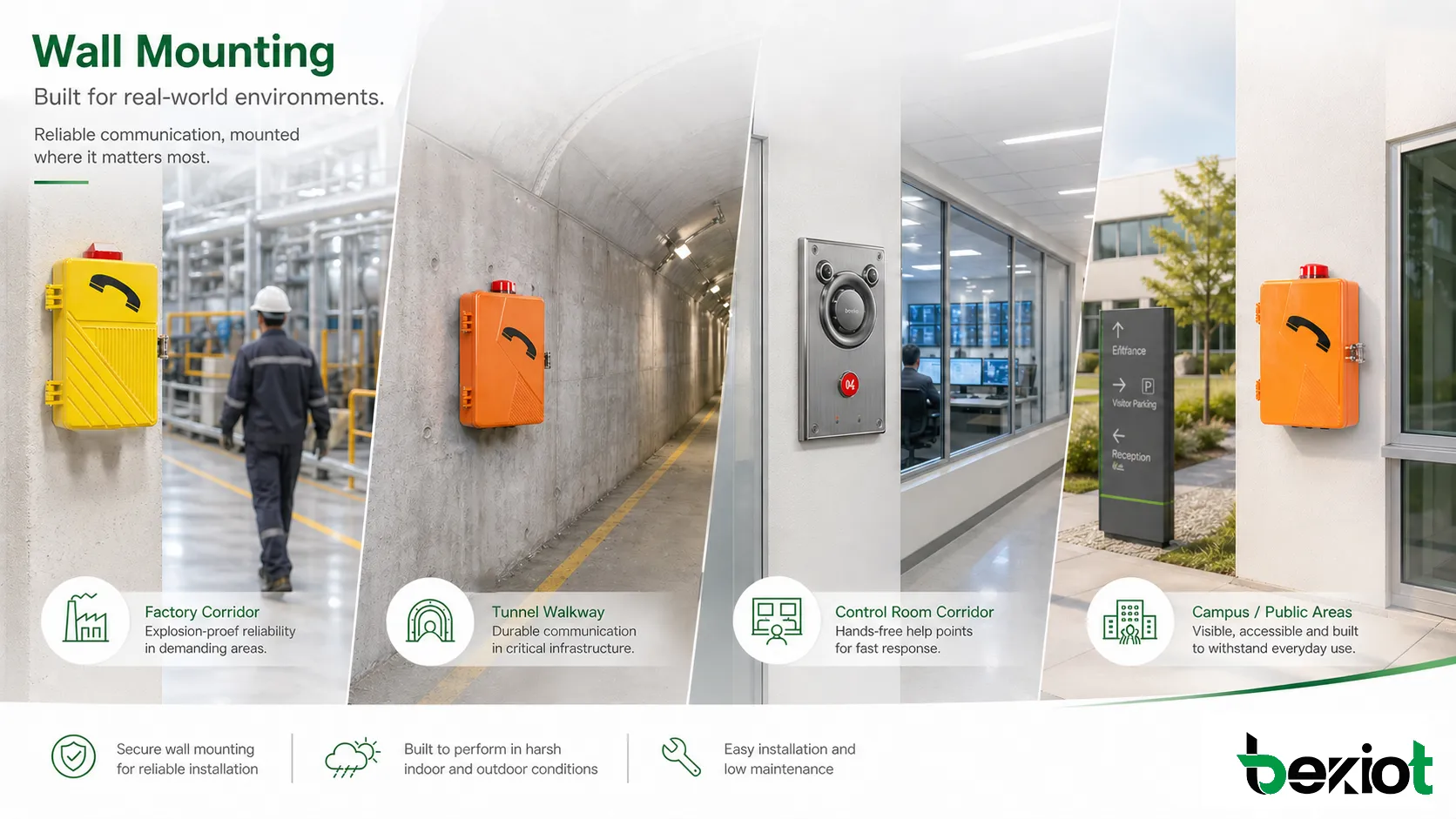
كيف يعمل التثبيت الجداري؟
سطح التثبيت والدعم الإنشائي
يبدأ التركيب الجداري الموثوق بسطح التثبيت. يجب أن يكون الجدار أو اللوحة أو العمود أو الحامل أو الهيكل الداعم قويا بما يكفي لتحمل وزن الجهاز ومقاومة قوى التشغيل العادية. بالنسبة للأجهزة الصغيرة، قد تكفي المسامير العادية ومثبتات الجدار. أما بالنسبة للمعدات الثقيلة أو الصناعية، فقد تكون هناك حاجة إلى حوامل معززة أو ألواح معدنية أو براغي تمدد أو إطارات دعم مخصصة.
كما أن مادة سطح التثبيت مهمة. فالخرسانة والطوب والفولاذ والجبس والألواح المعزولة وإطارات الآلات تحتاج كلها إلى طرق تثبيت مختلفة. قد يرتخي الجهاز المثبت على سطح ضعيف مع مرور الوقت، خصوصا إذا تعرض للاهتزاز أو التشغيل المتكرر أو حركة الأبواب أو شد الكابلات أو الطقس الخارجي.
قبل التركيب، يجب على الفني فحص الوزن، وتوزيع فتحات التثبيت، وقوة العتاد، وحالة السطح، والتعرض البيئي، ومتطلبات وصول المستخدم. ويجب أن يحافظ نظام التثبيت على الجهاز بأمان من دون انحناء أو اهتزاز أو ضغط على نقاط دخول الكابلات.
حامل الجهاز ولوحة التثبيت والمثبتات
تستخدم كثير من الأجهزة الجدارية لوحة تثبيت خلفية أو حاملا جانبيا أو فتحات مسامير مدمجة أو نمط VESA أو محول DIN rail أو حاملا معدنيا مخصصا. تنقل هذه الأجزاء حمل الجهاز إلى الجدار وتحافظ على محاذاته. وفي المنتجات الصناعية، قد تساعد الحوامل أيضا على الحفاظ على سلامة الغلاف وحماية نقاط دخول الكابلات.
يجب أن تتوافق المثبتات مع وزن الجهاز وسطح التركيب والظروف البيئية ومستوى الاهتزاز. وقد تكون المسامير المصنوعة من الفولاذ المقاوم للصدأ ضرورية في البيئات الخارجية أو المسببة للتآكل. كما قد تكون الغسالات المضادة للارتخاء أو وسائل قفل القلاوظ أو عتاد التثبيت المقاوم للاهتزاز مطلوبة في مناطق الآلات والأنفاق والسفن والمناجم والمواقع الصناعية الثقيلة.
يمكن أن يحول الاختيار الضعيف للمثبتات جهازا جيدا إلى تركيب ضعيف. لذلك يجب تصميم التثبيت الجداري كنظام ميكانيكي كامل، لا كمجرد اختيار لموضع بصري على الجدار.
مسارات الكابلات وحماية نقاط الدخول
تحتاج الأجهزة المثبتة على الجدار عادة إلى كابلات طاقة أو شبكة أو إشارة أو صوت أو هاتف أو تحكم أو تأريض. يجب تخطيط مسارات الكابلات قبل تثبيت الجهاز في مكانه. وقد تدخل الكابلات من الخلف أو الأسفل أو الجانب أو عبر ماسورة أو أنبوب مرن أو جلاند كابل أو قناة سطحية، حسب تصميم الجهاز وظروف الموقع.
يمنع التخطيط الجيد للكابلات قوى الشد، ودخول الماء، وتراكم الغبار، والانفصال العرضي، والفوضى في التركيب. وفي البيئات الخارجية أو الصناعية، قد تكون جلاندات الكابلات والمواسير المحكمة وحلقات منع تساقط الماء والتأريض وحماية الصواعق وتخفيف الشد عناصر مهمة. وبالنسبة لأجهزة الاتصال، تؤثر حماية الكابلات أيضا في استقرار الإشارة والموثوقية طويلة الأمد.
لا تكون موثوقية الجهاز الجداري أعلى من موثوقية مسار تركيبه الكامل. يجب أن تعمل عتاد التثبيت ومسارات الكابلات والإحكام والتأريض وسهولة الصيانة معا كنظام واحد.
يجمع التركيب الجداري الناجح بين الثبات الميكانيكي، والارتفاع الصحيح، ومسار الكابل المحمي، وسهولة وصول المستخدم.
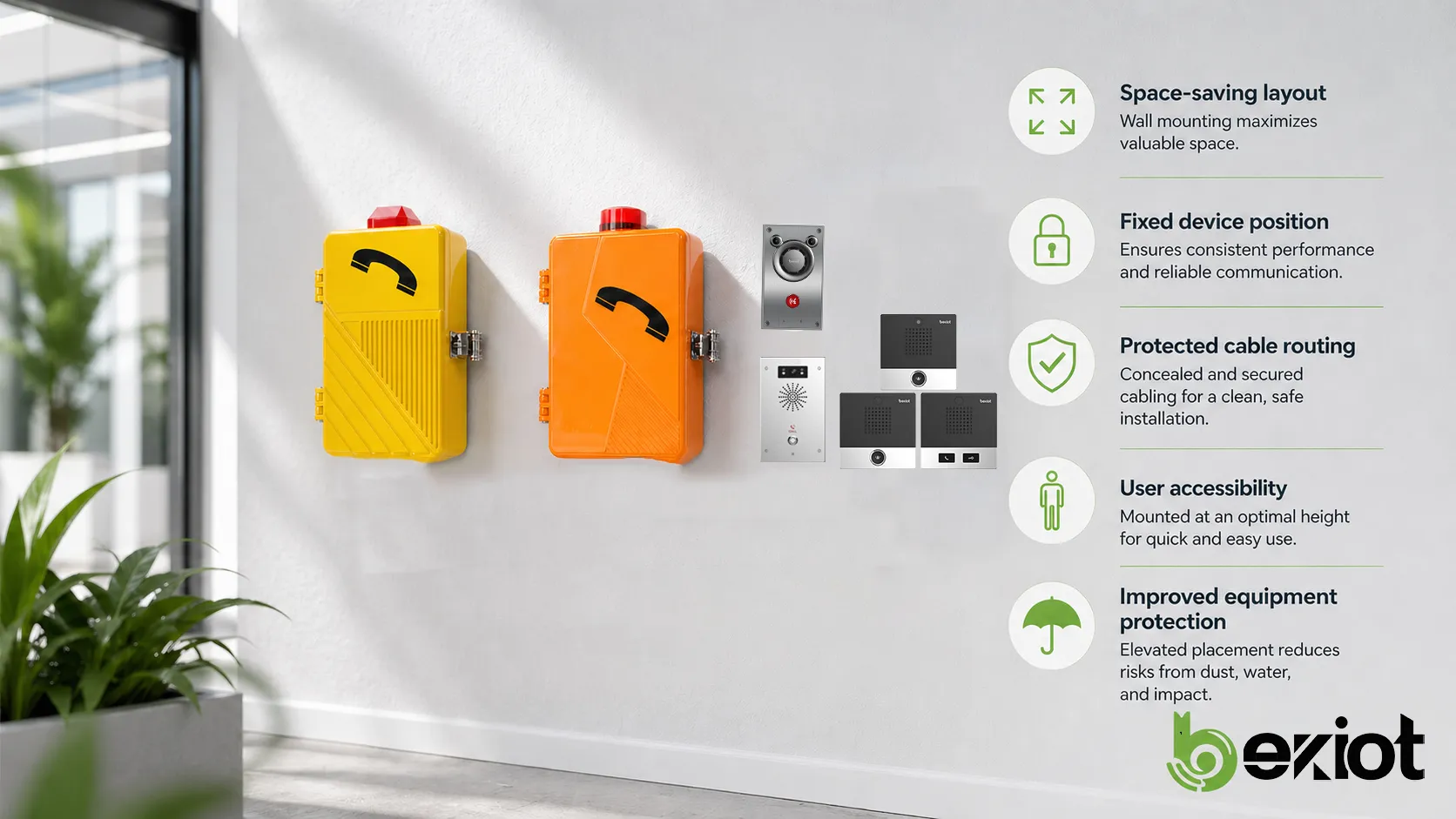
الخصائص الرئيسية للتثبيت الجداري
توفير المساحة وتنظيم التخطيط
من أكثر خصائص التثبيت الجداري شيوعا توفير المساحة. فبتثبيت المعدات على الجدار، لا يشغل التركيب مساحة أرضية أو مكتبية أو مساحة رف أو سطح عمل. وهذا مفيد في الممرات الضيقة، وغرف التحكم الصغيرة، وغرف المعدات، ومناطق الإنتاج، والمستشفيات، والمختبرات، والفصول الدراسية، ومساحات البيع بالتجزئة، ومناطق الخدمات.
يساعد التثبيت الجداري أيضا على إنشاء تخطيط أنظف. يمكن وضع الأجهزة على طول مسارات مخططة، أو قرب الأبواب، أو بجانب الآلات، أو إلى جوار مخارج الطوارئ، أو قريبا من محطات المشغلين. كما يمكن توجيه الكابلات عبر حوامل أو مواسير جداريه بدلا من تركها مبعثرة على الأرض أو المكاتب.
لا يحسن التخطيط النظيف المظهر فحسب، بل يحسن السلامة أيضا. فهو يقلل مخاطر التعثر، ويحمي المعدات من الحركة العرضية، ويجعل الفحص أسهل.
موضع ثابت وسهولة وصول أفضل
الموضع الثابت خاصية رئيسية أخرى. فعندما يثبت الجهاز على الجدار، يعرف المستخدمون أين يجدونه. وهذا مهم خصوصا لمعدات الطوارئ، والهواتف الصناعية، ونقاط الاتصال الداخلي، وأزرار الإنذار، ومحطات اتصال الإسعاف الأولي، ولوحات التحكم بالدخول، ومحطات المساعدة العامة.
تعتمد سهولة الوصول على ارتفاع التركيب، ومسافة الوصول، والعوائق المحيطة، والرؤية، والإضاءة، واللافتات، وظروف المستخدم. ففي بعض البيئات، قد يكون المستخدمون يحملون أدوات أو يرتدون قفازات أو يتحركون بسرعة أثناء حادث. يجب وضع الجهاز الجداري في موضع يمكن الوصول إليه من دون ارتباك.
كلما زادت أهمية الجهاز، ازدادت أهمية الموقع الثابت وسهولة الوصول.
حماية أفضل للمعدات
يمكن أن يحسن التثبيت الجداري حماية المعدات بإبعاد الأجهزة عن الماء والغبار والصدمات وحركة المركبات ومعدات التنظيف والفوضى على مستوى الأرض. كما يقلل احتمال أن تتم تغطية الجهاز بالأشياء أو نقله إلى موضع غير مناسب.
في البيئات الصناعية، يمكن أن يساعد ارتفاع التركيب وموقعه في تقليل التعرض لرذاذ الماء أو ملامسة المواد الكيميائية أو الاصطدام الميكانيكي أو شد الكابلات العرضي. وفي التركيبات الخارجية، قد يسمح التثبيت الجداري أيضا بوضع الجهاز تحت مظلة أو غطاء حماية أو منطقة محمية.
ومع ذلك، تظل الحماية مرتبطة بتصنيف غلاف الجهاز وطريقة التركيب. فقد يحتاج الجهاز الجداري إلى حماية IP، ومقاومة للتآكل، ومقاومة للصدمات، وإحكام للكابلات، ومواد مناسبة للبيئة الفعلية.
التثبيت الجداري في أنظمة الاتصال الصناعية
الهواتف الجداريه ومحطات الاتصال الداخلي
تعتمد أنظمة الاتصال الصناعية غالبا على الهواتف ومحطات الاتصال الداخلي المثبتة على الجدار لأن المستخدمين يحتاجون إلى نقاط اتصال ثابتة ومتوقعة. يمكن تركيب هاتف جداري بجانب خط إنتاج، أو في حجرة نفق، أو قرب غرفة مضخات، أو عند بوابة، أو في منطقة آلات، أو على طول مسار طوارئ.
مقارنة بالتركيب المكتبي، يكون التثبيت الجداري أكثر ملاءمة للبيئات القاسية التي قد لا توجد فيها مكاتب، والتي يجب أن تتحمل فيها المعدات الغبار والرطوبة والاهتزاز والضوضاء والاستخدام الخشن. كما يحافظ على وضوح الجهاز ويمنع فقدانه أو نقله.
بالنسبة لأجهزة الاتصال الداخلي SIP ومحطات نداء الطوارئ والهواتف الصناعية، يجعل التثبيت الجداري نقطة الاتصال جزءا من تخطيط السلامة في المنشأة. يستطيع المستخدمون التوجه مباشرة إلى الموقع المعروف وبدء الاتصال من دون البحث عن جهاز محمول أو هاتف مكتبي.
اتصالات الطوارئ ونقاط المساعدة
يستخدم التثبيت الجداري على نطاق واسع في أجهزة اتصال الطوارئ. فهاتف SOS، وأجهزة الاتصال الداخلي للطوارئ، وهواتف الأنفاق، ومحطات الضوء الأزرق، ونقاط المساعدة عند البوابات، ومحطات الاتصال بغرفة التحكم غالبا ما تثبت على الجدران أو الدعامات الإنشائية حيث يستطيع المستخدمون الوصول إليها بسرعة.
في حالات الطوارئ، يجب أن يساعد موضع التركيب على التعرف السريع والتشغيل السريع. وقد يحتاج الجهاز إلى لافتات واضحة، وإضاءة، ولون عالي التباين، وأزرار كبيرة، وتغذية راجعة صوتية، ومؤشرات مرئية، وحماية ضد الطقس القاسي أو التخريب.
يساعد التثبيت الجداري على إنشاء شبكة اتصال طوارئ مستقرة لأن كل طرفية لها موقع مادي محدد. يستطيع المرسلون تحديد نقطة الاتصال، وتستطيع فرق الصيانة فحص الجهاز وفقا لسجل أصول ثابت.
النداء والتحكم بالدخول وأجهزة التحكم المحلية
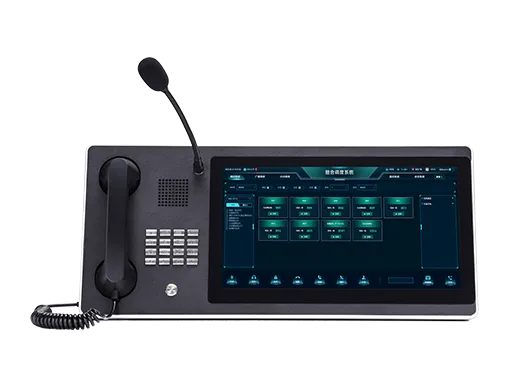
ينتشر التثبيت الجداري أيضا في ميكروفونات النداء، ومحطات التحكم بالبث المحلي، ولوحات التحكم بالدخول، وقارئات البطاقات، ومحطات الأبواب، ولوحات الإنذار، وصناديق التحكم الصناعية. تحتاج هذه الأجهزة إلى تركيبها بالقرب من المنطقة التي تتحكم بها أو تراقبها.
فعلى سبيل المثال، عادة ما يثبت جهاز التحكم بالدخول بجانب الباب. وقد تثبت محطة نداء في غرفة مناوبة أو مكتب أمن. وقد يثبت صندوق تحكم محلي بجانب آلة أو منطقة عملية. يجعل الموضع الجداري العلاقة بين الجهاز والمنطقة التي يتحكم بها واضحة.
في هذه التطبيقات، يدعم التثبيت الجداري التشغيل وسير العمل معا. لا يحتاج المستخدمون إلى تفسير تخطيط معقد؛ فالجهاز موجود بالضبط حيث يحدث الإجراء.
منتجات اتصال موصى بها للتثبيت الجداري
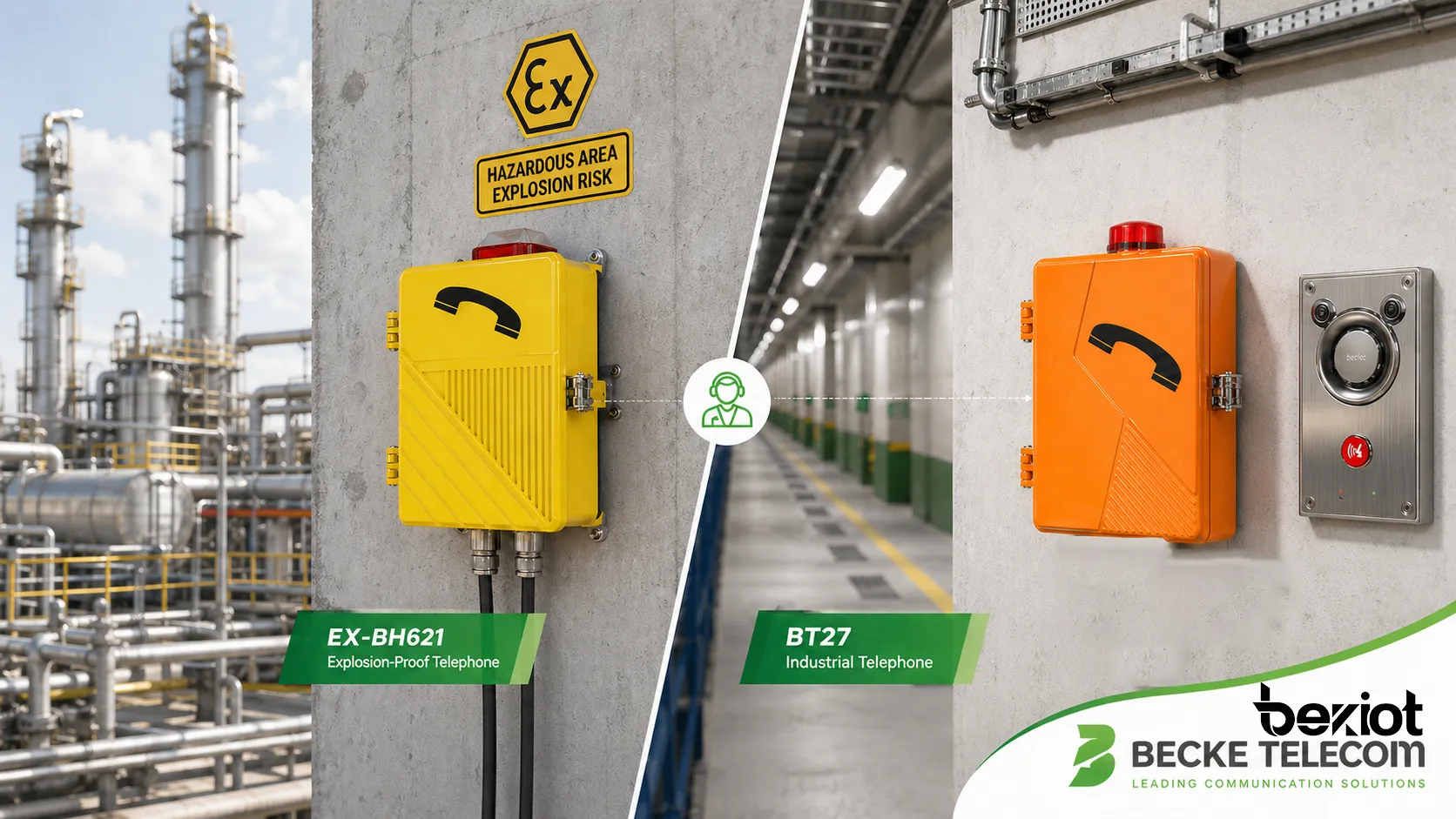
هاتف EX-BH621 الجداري المقاوم للانفجار
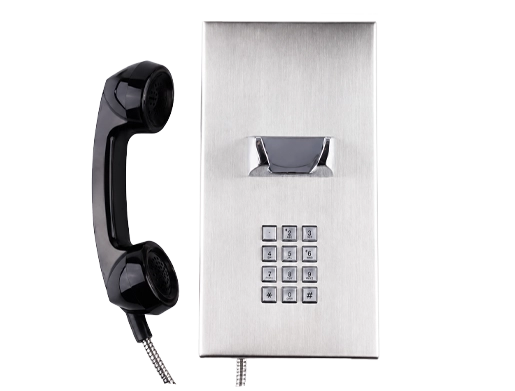
في مشاريع الاتصال الصناعي داخل المناطق الخطرة، يكون الموضع الجداري غالبا ضروريا لأن الهاتف يجب أن يبقى مرئيا وثابتا وجاهزا لاتصال الطوارئ أو الاتصال التشغيلي. يعد هاتف Becke Telcom EX-BH621 الجداري المقاوم للانفجار مناسبا لهذا النوع من منطق التركيب. فقد صمم للبيئات التي تتطلب بنية قوية، واتصالا في المناطق الخطرة، وتركيبا ثابتا ومستقرا.
عادة ما يثبت هاتف مقاوم للانفجار مثل EX-BH621 في مناطق قد يحتاج فيها العاملون إلى اتصال فوري، بينما لا تكون الهواتف المكتبية العادية مناسبة. وتشمل هذه المواقع منشآت البتروكيماويات، ومواقع النفط والغاز، ومناطق المعالجة الكيميائية، ومرافق الطاقة، ومناطق الصناعات الثقيلة، وغيرها من المواقع التي تكون فيها المتطلبات البيئية ومتطلبات السلامة أشد من المساحات التجارية العادية.
لا تقتصر قيمة التثبيت الجداري في هذه الحالة على الراحة. فهو يساعد على إبقاء الهاتف المقاوم للانفجار في موقع اتصال سلامة محدد، ويدعم مسارات كابلات محمية، ويقلل خطر النقل العرضي. وعند دمجه مع اختيار مناسب للمنطقة الخطرة وممارسات تركيب معتمدة وفحص دوري، يمكن أن يصبح الهاتف المقاوم للانفجار المثبت على الجدار نقطة وصول صوتية موثوقة للعاملين في الموقع.
هاتف BT27 الصناعي لاتصال المواقع الثابتة
يعد هاتف Becke Telcom BT27 الصناعي مثالا آخر يوضح كيف يمكن للتثبيت الجداري تحسين النشر العملي. فالهواتف الصناعية غالبا ما تركب في الأنفاق والمصانع وممرات الخدمات والورش والمحطات والمستودعات والمرافق الخارجية ومناطق المصانع حيث قد لا تتحمل الهواتف المكتبية القياسية البيئة أو ظروف الاستخدام.
في تركيب BT27 الجداري، يمكن وضع الهاتف قرب مناطق العمل أو مسارات التفتيش أو مناطق الآلات أو نقاط التحكم أو مسارات الوصول للطوارئ. وهذا يساعد العمال على العثور على نقطة الاتصال بسرعة. كما يبقي الجهاز بعيدا عن فوضى المكاتب، وصدمات الأرضية، والحركة غير الضرورية.
في المشاريع الصناعية، يجب تخطيط الهاتف الجداري مع مدخل الكابلات وارتفاع التركيب ومدى وصول المستخدم ومستوى الضوضاء والإضاءة واللافتات وسهولة الصيانة. ويمكن دمج BT27 في هذا النوع من تخطيط الاتصال الثابت بحيث لا يكون الهاتف مثبتا على الجدار فقط، بل موضوعا في موقع يدعم التشغيل الحقيقي للموقع.
دور طبيعي في تخطيطات الاتصال الصناعية
تبين منتجات Becke Telcom مثل EX-BH621 وBT27 سبب أهمية التثبيت الجداري في الاتصال الصناعي. فهذه الأجهزة لا تركب عادة للزينة أو للراحة العرضية، بل لتوفير نقاط اتصال ثابتة وموثوقة وسهلة التعرف عليها في بيئات demanding وصعبة.
في النفق، قد يدعم الهاتف الصناعي المثبت على الجدار مكالمات الطوارئ وتنسيق الصيانة. وفي مصنع كيميائي، قد يوفر الهاتف المقاوم للانفجار المثبت على الجدار اتصالا قرب منطقة عملية خطرة. وفي ممر غرفة التحكم، قد يربط الهاتف الجداري العاملين الميدانيين بالمرسلين أو المشغلين.
هنا يصبح التثبيت الجداري جزءا من تصميم نظام الاتصال. فهو يربط الجهاز والمستخدم وبيئة الموقع وعملية الاستجابة للطوارئ ضمن استراتيجية نشر مادية واحدة.
فوائد التثبيت الجداري
جاهزية تشغيلية أفضل
يحسن التثبيت الجداري الجاهزية التشغيلية لأن المعدات تبقى دائما في المكان الذي يتوقع المستخدمون وجودها فيه. وهذا مهم لأجهزة الاتصال، ومحطات الطوارئ، ولوحات التحكم المحلية، ومحطات التحكم بالدخول. فالجهار الثابت أسهل في إدخاله ضمن الإجراءات والتدريب واللافتات ومسارات التفتيش وخطط الطوارئ.
في منشأة تضم عددا كبيرا من المستخدمين أو الورديات، يخلق الجهاز المثبت على الجدار اتساقا في الاستخدام. يستطيع العمال الجدد والمقاولون وموظفو الأمن وفرق الصيانة معرفة الموقع واستخدام الجهاز عند الحاجة. ولا يختفي الجهاز في درج أو مكتب أو منطقة تخزين مؤقتة.
بالنسبة للاتصال الحرج، قد تكون هذه الجاهزية الثابتة أكثر قيمة من كثير من الميزات البرمجية المتقدمة.
حماية أفضل من التلف
غالبا ما تكون الأجهزة المثبتة على الجدران محمية من التلف العرضي بصورة أفضل من الأجهزة الموضوعة على الأرضيات أو الطاولات أو الحوامل المؤقتة. يمكن للتثبيت الجداري أن يبقي المعدات فوق مستوى الماء الواقف، وبعيدا عن الرافعات الشوكية، وخارج أسطح العمل المزدحمة، وبعيدا عن التنظيف الروتيني أو حركة المواد.
يعتمد مستوى الحماية على موقع التركيب. فإذا ثبت الجهاز قريبا جدا من مسار مركبات أو حركة باب أو زاوية مكشوفة، فقد يظل بحاجة إلى إطار حماية أو غطاء واق. وفي البيئات القاسية، يجب اختيار الحوامل والأغلفة لمقاومة الصدمات والتآكل والثبات طويل الأمد.
لا يعني التثبيت الجداري الجيد مجرد وضع الجهاز على الجدار، بل يعني وضعه في مكان يكون فيه قابلا للاستخدام ومحميًا في الوقت نفسه.
كابلات أنظف وصيانة أسهل
يسمح التثبيت الجداري بتوجيه الكابلات بطريقة أكثر تنظيما. يمكن حماية كابلات الطاقة أو الإيثرنت أو الهاتف أو الألياف أو التحكم أو التأريض باستخدام المواسير أو حوامل الكابلات أو قنوات الجدار أو الدخول الخلفي. وهذا يحسن المظهر وموثوقية التركيب.
تصبح الصيانة أسهل أيضا عندما تكون مواقع الأجهزة ثابتة وموثقة. يستطيع الفنيون فحص مسامير التثبيت، ومداخل الكابلات، والجوانات، والأطراف، وحالة السماعة، واستجابة الأزرار، ورابط الشبكة، وحالة الطاقة وفقا لموقع أصل معروف.
يدعم التركيب الجداري النظيف الخدمة طويلة الأمد لأن الجهاز ومسار الكابل ونقطة الفحص تبقى ثابتة مع مرور الوقت.
تطبيقات التثبيت الجداري
المصانع والورش الصناعية
تستخدم المصانع والورش الصناعية التثبيت الجداري للهواتف، وأجهزة الاتصال الداخلي، وصناديق التحكم، ولوحات المشغلين، ومزودات الطاقة، والحساسات، وأضواء التحذير، ومعدات المراقبة المحلية. تحتاج هذه الأجهزة إلى أن تكون واضحة وضمن متناول اليد مع بقائها محمية من حركة الأشخاص والأدوات والمواد والمركبات.
يمكن تركيب أجهزة الاتصال الجدارية قرب خطوط الإنتاج، وغرف الآلات، ومناطق الصيانة، ومناطق التحميل، ومحطات السلامة. وهذا يسمح للعاملين بالاتصال بغرفة التحكم أو فريق الصيانة أو مكتب الأمن أو مركز الإرسال من دون مغادرة منطقة العمل.
في هذه البيئات، يدعم التثبيت الجداري تنظيم مكان العمل وكفاءة الاتصال معا.
الأنفاق وممرات الخدمات ومواقع النقل
تستخدم الأنفاق وممرات الخدمات ومحطات المترو ومرافق السكك الحديدية والموانئ والمطارات والبنية التحتية للطرق معدات اتصال وسلامة مثبتة على الجدار بشكل شائع. وقد تكون المساحة محدودة، ويجب أن تبقى الأجهزة ثابتة على طول مسارات محددة أو مخارج طوارئ أو غرف خدمات أو مناطق أرصفة.
يمكن للهاتف أو جهاز الاتصال الداخلي المثبت على الجدار أن يعمل كنقطة اتصال ثابتة يستطيع المرسلون تحديدها بالموقع. فإذا جاءت مكالمة من مقطع نفق أو نقطة ممر، يستطيع مركز التحكم فهم مكان المتصل والاستجابة بفعالية أكبر.
هذا يجعل التثبيت الجداري مفيدا بشكل خاص في البنية التحتية الخطية حيث يرتبط الموقع وزمن الاستجابة ارتباطا وثيقا.
المناطق الخطرة والصناعات الثقيلة
تتطلب المناطق الخطرة والمواقع الصناعية الثقيلة غالبا معدات قوية أو معتمدة مثبتة في مواضع مستقرة. ويمكن أن يدعم التثبيت الجداري ذلك من خلال إبقاء الأجهزة ثابتة ومحمية ومجهزة بكابلات مناسبة. وقد تحتاج الهواتف المقاومة للانفجار، والهواتف الصناعية، وصناديق التوصيل، ومحطات التحكم، وأجهزة الإنذار كلها إلى تركيب جداري دقيق.
في هذه البيئات، يجب أن تراعي ممارسة التثبيت أكثر من مجرد الراحة. فقد تشمل تصنيف المنطقة الخطرة، وتصنيف الغلاف، واختيار جلاند الكابل، والتأريض، ومقاومة التآكل، وحماية الصدمات، وفحص الصيانة.
لذلك يصبح التثبيت الجداري جزءا من تصميم السلامة والموثوقية للموقع بالكامل.
المرافق العامة والحرم الجامعي والمباني التجارية
تستخدم المرافق العامة والحرم الجامعي والمستشفيات والفنادق ومباني المكاتب ومراكز التسوق والمجمعات التجارية التثبيت الجداري لأجهزة الاتصال الداخلي، ونقاط المساعدة، وأجهزة التحكم بالدخول، والهواتف، والشاشات، والحساسات، ومكبرات الصوت، ولوحات الإنذار. تساعد هذه التركيبات الزوار والموظفين وفرق الأمن على الوصول إلى الخدمات بسرعة.
في الأماكن العامة، يجب أن تكون الأجهزة الجدارية واضحة ومفهومة ومتينة. ويجب أن يدعم ارتفاع التركيب واللافتات والإضاءة والمساحة المحيطة سهولة الاستخدام لمجموعات مختلفة من المستخدمين.
يمكن للجهاز الجداري المخطط جيدا أن يحسن جودة الخدمة، واتصالات السلامة، وإدارة المبنى، وراحة المستخدم.
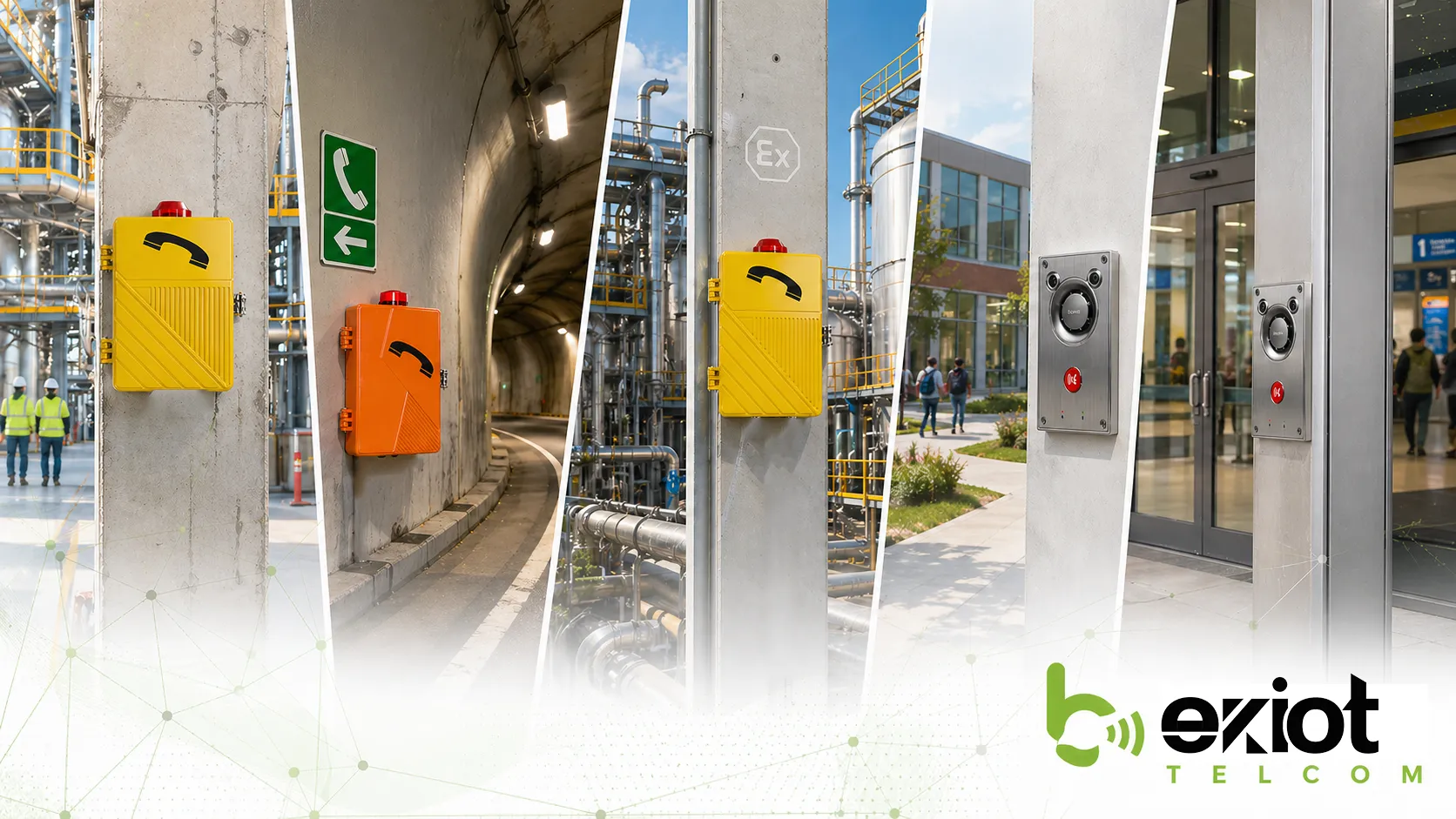
اعتبارات التركيب
اختيار الارتفاع والموقع المناسبين
يجب أن يتوافق ارتفاع وموقع الجهاز الجداري مع طريقة استخدامه. يجب وضع سماعة الهاتف، ولوحة المفاتيح، وزر النداء، والشاشة، والكاميرا، والميكروفون، أو مكبر الصوت على ارتفاع قابل للاستخدام. وإذا كان المستخدمون يرتدون قفازات أو يحملون أدوات أو يعملون في مناطق صاخبة، فيجب أن يدعم الموقع التشغيل السريع والواثق.
يجب ألا يحجب الجهاز أبواب أو أنابيب أو معدات أو رفوف تخزين أو مركبات أو مواد مؤقتة. كما يجب أن يكون مرئيا من اتجاه الاقتراب الطبيعي. وبالنسبة لأجهزة الطوارئ، قد تكون اللافتات والإضاءة مطلوبة حتى يستطيع المستخدمون العثور على الجهاز بسرعة.
يعد الموضع الجيد من أبسط الطرق لتحسين القيمة الفعلية للمعدات المثبتة على الجدار.
مطابقة طريقة التثبيت مع البيئة
تتطلب البيئات المختلفة طرق تثبيت مختلفة. فقد يحتاج جدار مكتب أو جدار نفق خرساني أو عمود فولاذي أو عمود خارجي أو لوحة معزولة أو إطار آلة إلى مثبتات وحوامل وألواح وطرق إحكام مختلفة. ويجب أن تتوافق طريقة التثبيت مع الوزن والاهتزاز والتآكل ودرجة الحرارة والصدمات الميكانيكية.
قد تحتاج التركيبات الخارجية أو الصناعية إلى عتاد من الفولاذ المقاوم للصدأ، وأغطية حماية، ومداخل كابلات محكمة، ومثبتات مضادة للاهتزاز، وتأريض، وحماية من الصواعق. وقد تتطلب المناطق الخطرة ملحقات معتمدة وممارسات تركيب إضافية.
يجب اختيار طريقة التثبيت قبل بدء التركيب، لا ارتجالها بعد وصول الجهاز إلى الموقع.
تخطيط دخول الكابلات وسهولة الصيانة
يجب تخطيط دخول الكابلات مع موضع التركيب. يجب أن يتجنب التركيب النظيف انحناءات الكابلات الحادة، والضغط المكشوف على الكابلات، ومسارات الماء إلى داخل الغلاف، ومسارات الكابلات غير المحمية. كما يجب أن يتمكن أفراد الصيانة من فتح الجهاز أو فحص مداخل الكابلات دون تفكيك أجزاء غير ضرورية.
بالنسبة للهواتف الجدارية ومحطات الاتصال، لا يؤثر توجيه الكابلات في المظهر فقط، بل يؤثر أيضا في الموثوقية. فقد يؤدي الدخول السيئ للكابلات إلى دخول الماء، أو أعطال الشبكة، أو مشكلات جودة الصوت، أو التآكل، أو مشكلات طاقة متقطعة.
يجب التفكير في سهولة الصيانة أيضا. فالجهاز المثبت في مكان يصعب الوصول إليه قد يتم تجاهله أثناء الفحص الدوري، مما قد يقلل الموثوقية على المدى الطويل.
أفضل تركيب جداري هو ما يكون سهل العثور، وسهل الاستخدام، وسهل الفحص، وصعب التلف.
نصائح الصيانة والفحص
فحص الثبات الميكانيكي
يجب فحص المعدات الجدارية دوريا للتأكد من ثباتها الميكانيكي. فقد ترتخي المسامير أو الحوامل أو الألواح أو المثبتات أو أجزاء الغلاف مع مرور الوقت بسبب الاهتزاز أو الطقس أو التمدد الحراري أو الاستخدام المتكرر. وقد يؤدي الجهاز المرتخي إلى تلف الكابلات أو انخفاض سهولة الاستخدام أو حدوث خطر سلامة.
يجب أن يشمل الفحص التحقق من أن الجهاز مثبت بإحكام، وأن الغلاف بمحاذاة صحيحة، وأن سطح التثبيت لا يحتوي على تشققات، وأن أغطية الحماية أو الواقيات لا تزال سليمة.
بالنسبة لأجهزة الاتصال الحرجة، يجب أن يكون الفحص الميكانيكي جزءا من جدول الصيانة العادي.
فحص مداخل الكابلات والأختام
يجب فحص مداخل الكابلات والجلاندات والأختام والجوانات ووصلات المواسير بانتظام، خصوصا في البيئات الخارجية أو الرطبة أو المغبرة أو المسببة للتآكل أو الخطرة. فقد تسمح فجوة صغيرة بدخول الرطوبة أو الغبار أو الحشرات أو المواد الكيميائية إلى الغلاف وإتلاف الأجزاء الداخلية.
إذا كان الجهاز الجداري يمتلك غلافا مصنفا IP أو مقاوما للانفجار، فإن نظام الإحكام جزء من حماية المنتج. وقد تؤدي الأختام التالفة أو السدادات المفقودة أو الجلاندات المرتخية أو الثقوب غير المصرح بها إلى إضعاف التركيب.
تحمي الصيانة الجيدة الجهاز ووظيفة السلامة التي يوفرها في الوقت نفسه.
اختبار الجاهزية الوظيفية
لا ينبغي أن يبدو جهاز الاتصال الجداري سليما فقط؛ بل يجب أن يعمل بشكل صحيح. قد تشمل الاختبارات الدورية الاتصال بغرفة التحكم، وفحص جودة الصوت، واختبار أزرار النداء، وتأكيد تسجيل الشبكة، والتحقق من حالة الطاقة، وفحص الشاشات، والتأكد من تسجيل موقع الجهاز بشكل صحيح في نظام الإدارة.
يجب اختبار هواتف الطوارئ والهواتف الصناعية وفقا لإجراءات الموقع. فإذا اعتمد المستخدمون على هذه الأجهزة أثناء الحوادث، فيجب اكتشاف الأعطال الخفية قبل وقوع الطوارئ.
يكمل الاختبار الوظيفي حلقة الصيانة من خلال التأكد من أن الجهاز المثبت لا يزال جاهزا للاستخدام.
أخطاء شائعة في التثبيت الجداري
تركيب الأجهزة دون مراعاة مدى وصول المستخدم
من الأخطاء الشائعة تركيب المعدات على ارتفاع أو في موضع غير مريح للمستخدمين. قد يبدو الجهاز منظما في الرسم، لكنه قد يكون صعب الوصول في الظروف الحقيقية. قد يضطر المستخدمون إلى التمدد أو الانحناء أو تجنب العوائق أو الوقوف في مواضع غير آمنة لتشغيله.
يجب أن يراعي التركيب سلوك المستخدم الحقيقي. من سيستخدم الجهاز؟ هل سيرتدي قفازات؟ هل سيكون في عجلة؟ هل ستكون المنطقة صاخبة أو مظلمة أو رطبة أو مزدحمة؟ تساعد هذه الأسئلة على تحديد موضع تركيب عملي.
يجب أن يصمم الجهاز الجداري من أجل الناس، وليس فقط من أجل رسومات التخطيط.
تجاهل التعرض البيئي
خطأ آخر هو تجاهل البيئة. فالجهاز المناسب لجدار مكتب قد لا يتحمل نفقا أو مصنعا كيميائيا أو بوابة خارجية أو موقعا بحريا أو منطقة غسيل في مصنع. ولا يوفر التثبيت الجداري تلقائيا حماية بيئية.
يجب على الفنيين مطابقة غلاف الجهاز ومواده وجلاندات الكابلات وعتاد التثبيت وطريقة الإحكام مع البيئة الفعلية. ويجب مراعاة درجة الحرارة والرطوبة والغبار والتآكل والصدمات والاهتزاز وضوء الشمس والتعرض للماء.
قد يؤدي عدم توافق الجهاز مع البيئة إلى فشل مبكر حتى إذا كان الجهاز مثبتا بإحكام.
سوء إدارة الكابلات
يمكن أن يضعف سوء إدارة الكابلات تركيبا جيدا من نواح أخرى. فقد تتعرض الكابلات المكشوفة للشد أو السحق أو القطع أو الانحناء أو التلف. كما قد يسمح دخول الكابلات السيئ بدخول الماء أو الغبار إلى الغلاف. ويمكن للكابلات غير المرتبة أن تجعل الصيانة أصعب وتقلل المظهر المهني للتركيب.
يجب حماية مسارات الكابلات، ووضع تسميات عند الحاجة، وترتيبها لتجنب الشد. وفي التركيبات الصناعية والخارجية، قد تكون المواسير والقنوات والجلاندات والأكمام الواقية مطلوبة.
يتضمن التثبيت الجداري الموثوق إدارة كابلات موثوقة أيضا.
الخلاصة
التثبيت الجداري طريقة تركيب عملية تثبت الأجهزة بأمان على الأسطح العمودية بحيث تبقى واضحة وسهلة الوصول ومحمية وسهلة الإدارة. ويستخدم على نطاق واسع لمحطات الاتصال، والهواتف الصناعية، وهواتف الطوارئ، وأجهزة الاتصال الداخلي، وأجهزة التحكم بالدخول، ومكبرات الصوت، والحساسات، ومحطات التحكم، واللوحات، ومعدات المرافق العامة.
تشمل خصائصه الرئيسية توفير المساحة، والتموضع الثابت، وسهولة الوصول، وتحسين حماية المعدات، وتنظيم الكابلات، وتسهيل الصيانة. وتظهر قيمته بوضوح في المصانع الصناعية والأنفاق وممرات الخدمات والمناطق الخطرة وأنظمة النقل والحرم الجامعي والمستشفيات والمرافق العامة والمباني التجارية.
في نشرات الاتصال الصناعي من Becke Telcom، توضح منتجات التثبيت الجداري مثل هاتف EX-BH621 الجداري المقاوم للانفجار وهاتف BT27 الصناعي كيف يدعم التثبيت الجداري اتصالا صوتيا ثابتا في المواقع القاسية. وعندما يتم تخطيط ارتفاع التركيب والحامل ومدخل الكابل وحماية الغلاف وسهولة الصيانة بشكل صحيح، يصبح التثبيت الجداري جزءا موثوقا من نظام الاتصال والسلامة الكامل.
الأسئلة الشائعة
ماذا يعني التثبيت الجداري؟
يعني التثبيت الجداري تثبيت جهاز على جدار أو دعامة عمودية باستخدام حوامل أو مسامير أو مثبتات أو ألواح أو غيرها من عتاد التركيب. وهو يحافظ على الجهاز في موضع مستقر وسهل الوصول.
ويستخدم عادة للهواتف، وأجهزة الاتصال الداخلي، ولوحات التحكم، والشاشات، ومكبرات الصوت، والحساسات، ومعدات السلامة.
لماذا يعد التثبيت الجداري مفيدا للهواتف الصناعية؟
يحافظ التثبيت الجداري على الهواتف الصناعية واضحة وثابتة ومحمية وسهلة الوصول. وهذا مهم في المصانع والأنفاق والمناطق الخطرة والورش والمرافق العامة حيث يجب أن تبقى نقاط الاتصال متاحة.
كما يساعد على حماية الكابلات ويمنع نقل الهاتف أو فقدانه.
أين يمكن استخدام الهواتف المقاومة للانفجار المثبتة على الجدار؟
يمكن استخدام الهواتف المقاومة للانفجار المثبتة على الجدار في بيئات المناطق الخطرة المناسبة مثل منشآت البتروكيماويات ومرافق النفط والغاز ومناطق المعالجة الكيميائية ومواقع الطاقة ومناطق الصناعات الثقيلة وغيرها من المواقع التي تتطلب معدات اتصال معتمدة للحماية من الانفجار.
يجب أن يتوافق المنتج المحدد مع تصنيف المنطقة الخطرة، ودرجة الحماية، والظروف البيئية، ومتطلبات التركيب.